jonathansabbah.com
  • Apps
  • Consulting
  • Talks
  • Blog
  • About Me

Hiring OS for Notion

Hire the right employees. Without leaving Notion.

✌️ Replaces Workable, Lever, your very expensive Applicant Tracking System.

👶 Super simple. No learning curve. No training needed.

💰 No monthly payment. Yep you only pay once!

Get started →

🚨 Headhunters (freelance or agency) ? Check the new Hiring OS - Headhunt Edition! 🚨

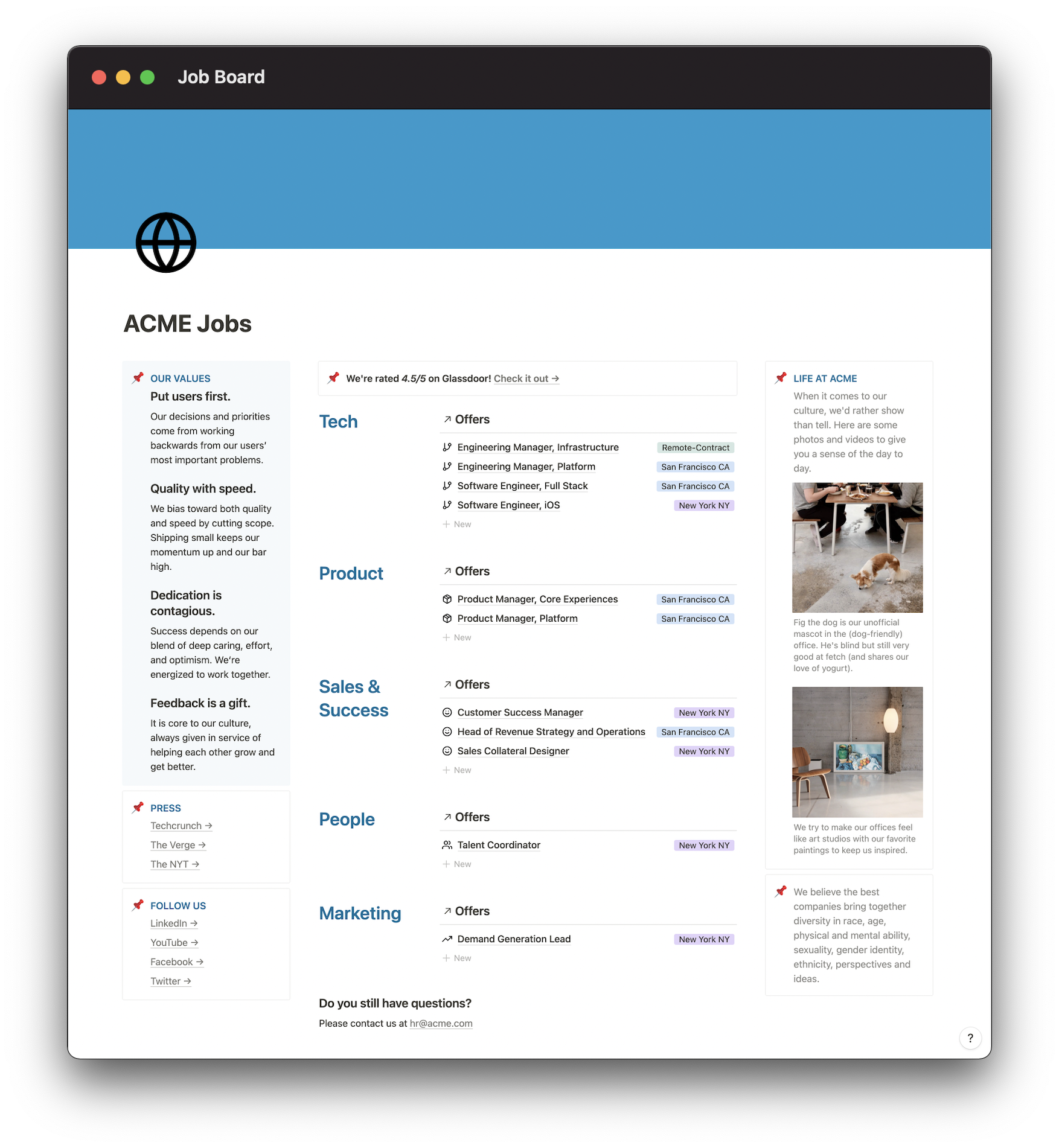
On the candidate side, a beautiful Job Board...

image

Where they can apply directly inside the job description:

image
image
✌️
You can have your offers in many job boards like Linkedin or Welcome to the Jungle...

...and easily plug Hiring OS as a back office :)

It's very easy to set up and provides a smooth candidate experience

image
image
image

...and on the company side:

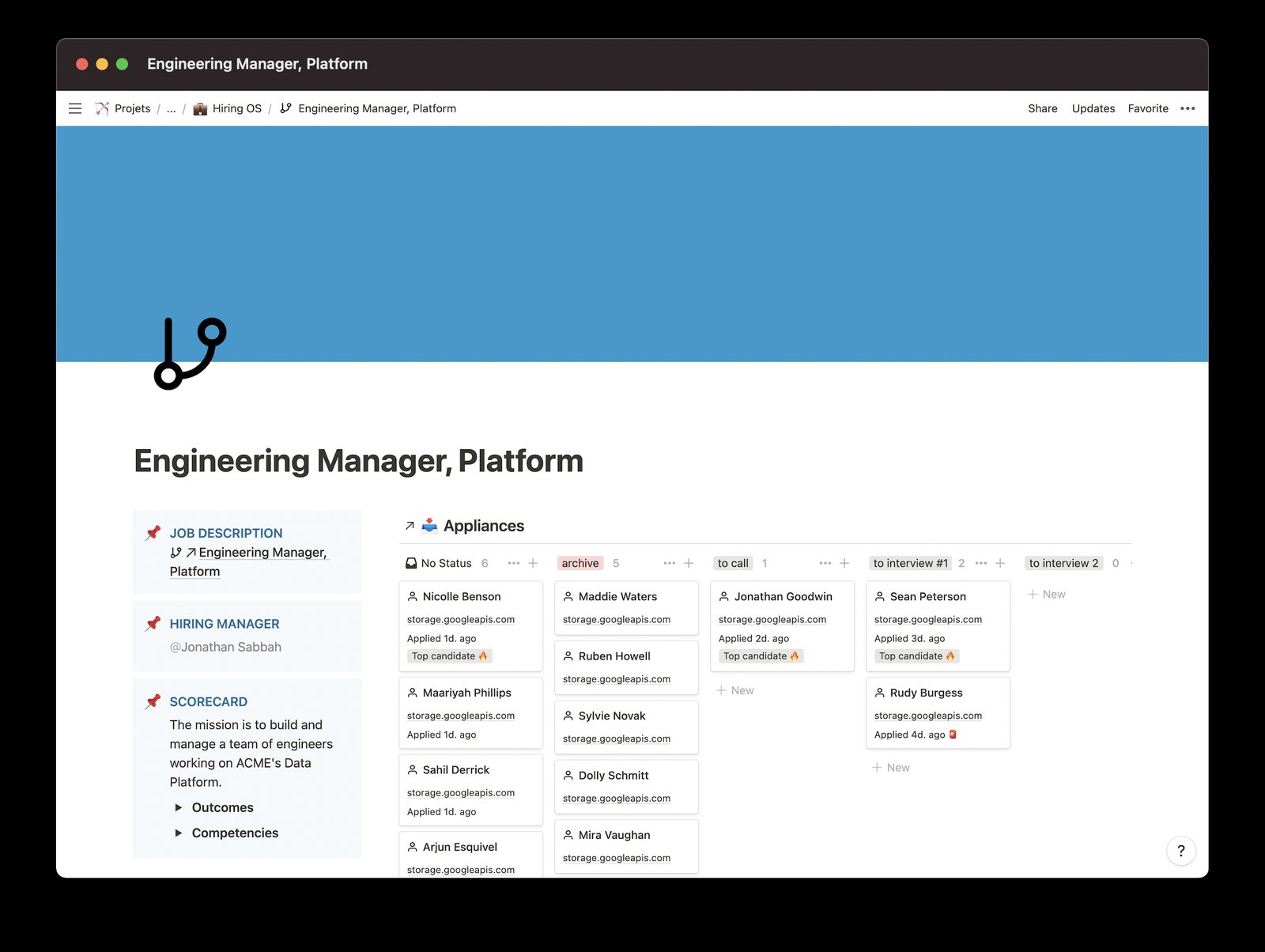
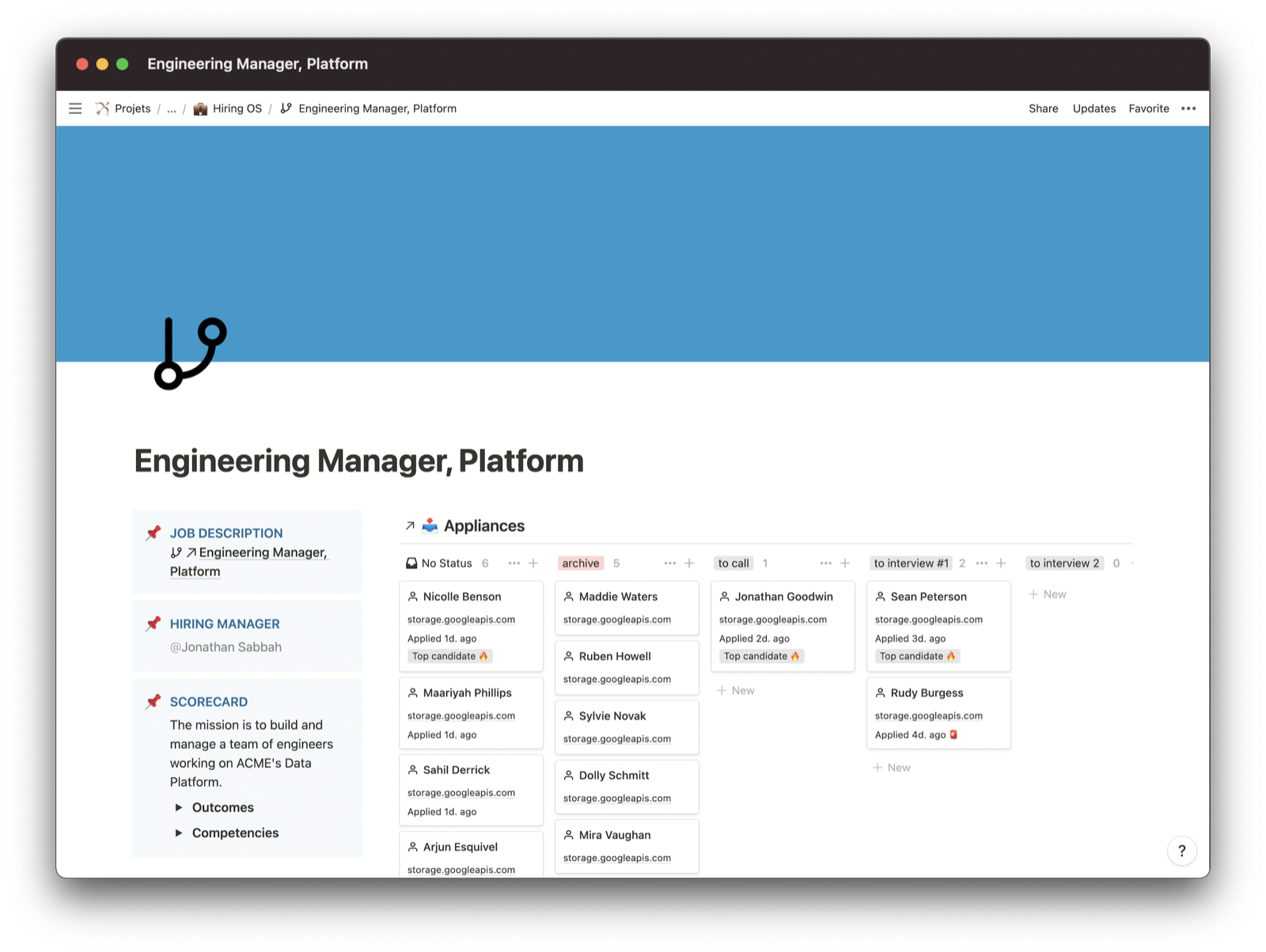
Applications land automatically in a pretty board

See instantly all applications

Easily add Scorecards

Get alerted if a candidate stays too long in the board

image
image

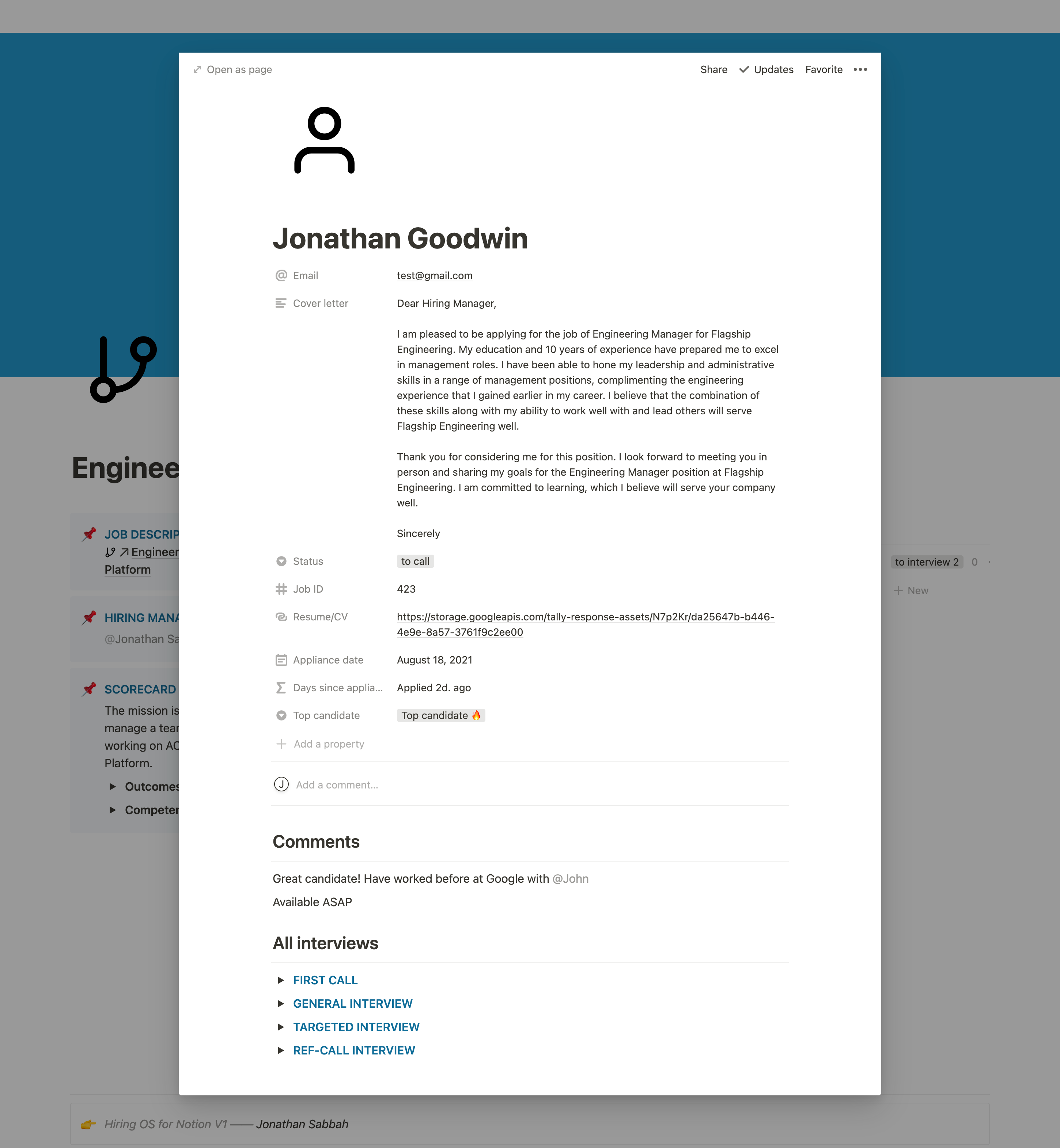
One page per application

All information about a candidate live here: email, cover letter, resume, notes and details from interviews

Prepare the questions in advance so anyone can be the interviewer

See what happened during the previous interviews: no more redundancy

image

Soo simple that your team will love you for choosing it

Forget about overly complicated ATS like Lever or Workable

Let’s go →

Included: standard questions from
Included: standard questions from Who: The A Method for Hiring, G. Smart & R. Street

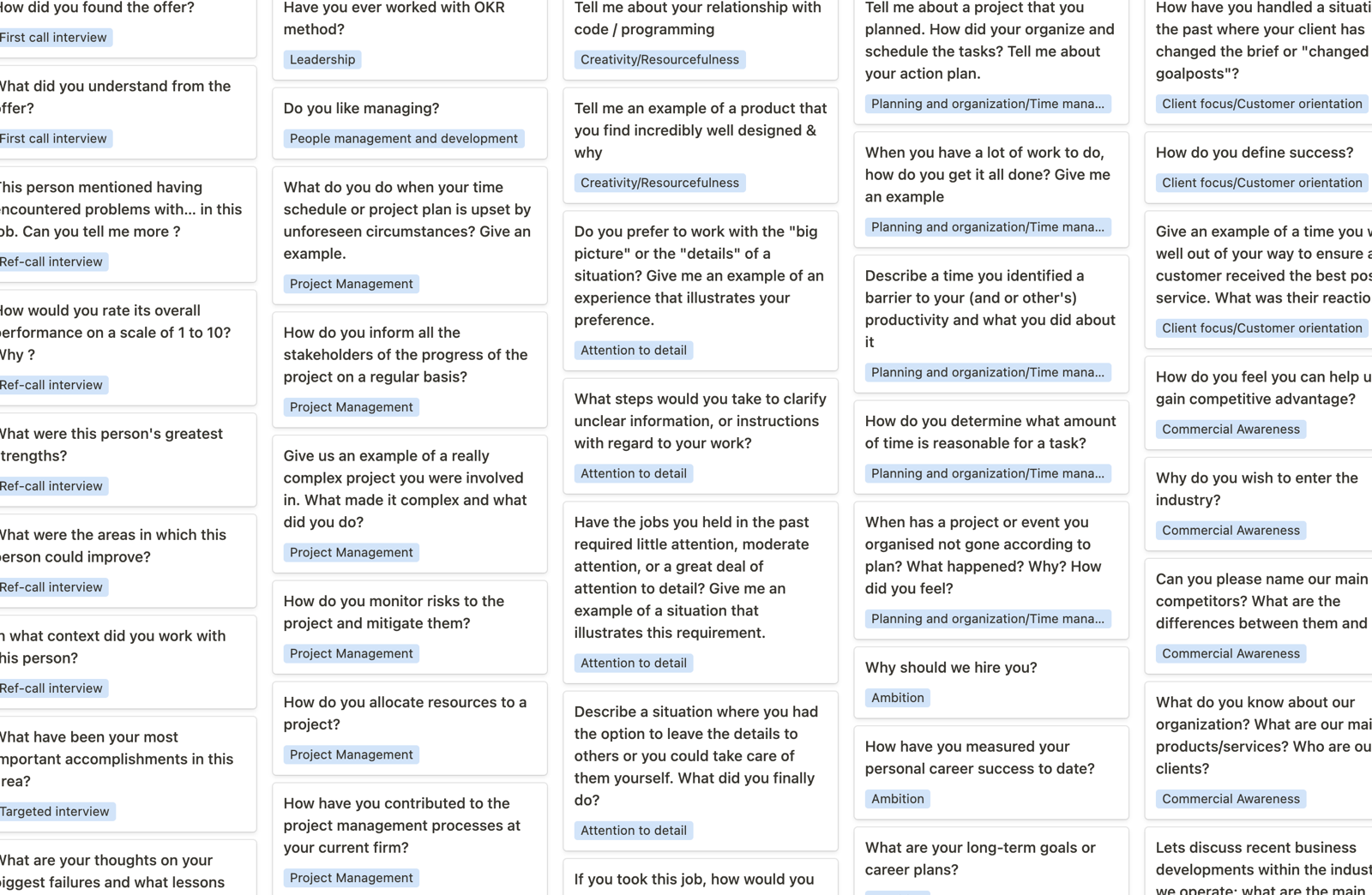
Take advantage of the 150 standard questions + 750 job descriptions builtin

image

Hire the right employees. Without leaving Notion.

Let’s go →

image
I was looking for a lightweight ATS and found Hiring OS. A very good choice for a Notion fan like me! — Virgile

CEO, Figures.rh

image
I asked a recruiter friend for advice on the right tools to track applications. She immediately told me about Hiring OS! I just bought it and I love it because it's cheap and based on Notion — Adrien

Founder, OnosTalent

image
So simple, the pipeline view is perfect. Lifetime access are hard to find these days and very attractive... — Claudia

HR, Papernest

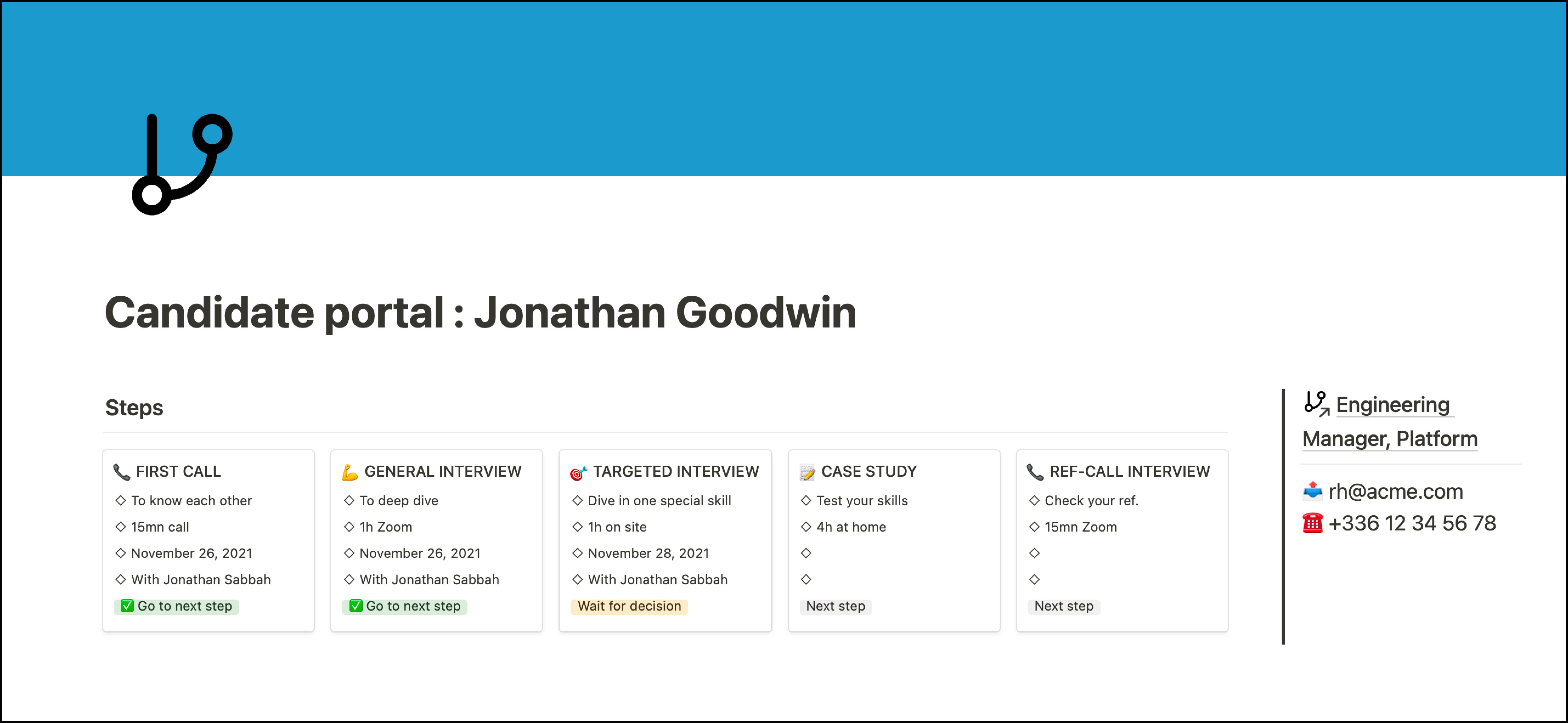
Give back time to your HR team with the Candidate Portal

image

Candidate Portal is a new way to let your candidates know where they are in the process

image

Candidates have everything needed to ace your interviews 💪

image

Candidates don't need to contact your HR team to know what's next

image

Get the Candidate Portal template for free

Leverage Notion super-powers

image
image
image

Tag someone from your team and create tasks and reminders

image
icon
Your team already knows how to use it!
image
icon
100% customizable
image
icon
Works on your mobile too!
image
icon
Slack alerting
image

NEW Unleash Notion AI capabilities*

Generate perfect Job Descriptions based on your scorecard and your company mission

image

It summarizes all the stages of the recruitment process and provides a recommendation. 🤯

image

*Notion AI required (paid)

Pricing

Not a monthly payment, you just pay once

vs 990$/month (!) for a board with 10 open positions on Workable

🚨  Headhunters (freelance or agency)? Check the new Hiring OS - Headhunt Edition!

Hiring OS Core

Candidates application are added manually or with LinkedIn Extension

50€ lifetime access

✅ Applications board

✅ 1-click LinkedIn extension

❌ Job Board & Application Form for candidates

❌ Customize Application Form

❌ Notion AI superpowers

Let’s started →

Hiring OS Classic

Candidates can apply by themselves from the Job Board

600€ 100€ lifetime access

✅ Applications board

✅ 1-click LinkedIn extension

✅ Job Board & Application Form for candidates

❌ Customize Application Form

❌ Notion AI superpowers

Let’s started →

Hiring OS Ultimate

Candidates can apply by themselves from the Job Board & you can customize Application form.

1000€ 200€ lifetime access

✅ Applications board

✅ 1-click LinkedIn extension

✅ Job Board & Application Form for candidates

✅ Customize Application Form

✅ Notion AI superpowers

Let’s started →

FAQ

‣
What are the differences between “Core” and “Classic” Editions ?
  • The Job Board is not included in the Core Edition The only way to add candidates into Hiring OS is to add them manually or with the LinkedIn Chrome Extension.
  • In the Classic Edition, candidates can apply by themselves and their applications are automatically sent into your Notion Workspace.
Job Board
Job Board
‣
What are the differences between “Classic” and “Ultimate” Editions ?

→ Classic Edition : the Application form is not customizable.

Here the list of questions :

  • First and last Name,
  • Email address,
  • Resume/CV,
  • Why do you want to work here

→ Ultimate Edition : you can add/remove as many questions as you want (Compliance checkbox, Linkedin Profile, Phone Number etc.)

Note: in both editions, the “Job ID” field is required to make Hiring OS work.

👉

Application Form (Classic Edition)

image
‣
What are the differences between Hiring OS and Hiring OS Headhunt Edition ?
  • Hiring OS for Headhunters : several candidates to fit into several companies.
  • Hiring OS Classic/Ultimate : several candidates who apply for only one company, yours. Moreover, there is a job board from which candidates can apply and the application is sent in your Notion back office.
‣
What exactly is Hiring OS?

A collection of pages + databases for Notion and an integration to connect applications with back-office

‣
Can I duplicate Hiring OS for my friends?

No, this is a personal license for team use only

‣
Refund Policy

Due to its digital nature, I can't refund the pack if you buy it.

‣
Can we prevent candidates from having to put their Job ID on the application form?

No, unfortunately the “Job ID” field is required to make Hiring OS work.

‣
How do you track GDPR on the system?

Inside the Application database, there is a property tracking how long each application has been made, my recommandation is to use it to remove the >1 year applications each month.

‣
Can we schedule interviews automatically?

Not possible at the moment, my reco. is to send a Calendly link to your candidates.

‣
Can we pull reports from the data being captured, (number of open roles, closed or pending, D&I and so on)

This is a bit of a manual process unfortunately. What you can do is check the total above the dashboards:

image
‣
Are updates included?

Yes! I will send you by email all the new features and updates

With a tutorial to install them into your Notion Workspace

💡
You liked this landing page?

→ It was made with Landing Page Builder for Notion and Product OS 😇

image

Hiring OS for Notion

‣
About me :)

Ex-Lead Product Manager in a large start-up, headmaster of a Product Management bootcamp in Paris, Product Consultant and Notion die-hard fan ♥️

linkedin.com/in/jonathansabbah

jonathan.sabbah@gmail.com

jonathansabbah.com

Privacy policyPrivacy policyTerms of useTerms of use

French version 🇫🇷

Hiring OS pour Notion

Headhunter Edition

Hiring OS - Headhunt Edition